Showing posts with label PTU. Show all posts
Showing posts with label PTU. Show all posts
Sunday, April 5, 2015
PTU Wisteria

Hey guys.
This morning I am using PTU Wisteria here.
and verymany tube here.
Mask of choice
dropshadow settings for all layers but mask are
2
2
45
5
open a blank canvas of 650x650
add paper to mask and close off til end.
open frame.
click inside add in your close up of tube.
Til tube slightly
standing on frame layer. magic wand-click inside of frame.
selections-modify-expand by 6-invert-
standing on tube layer=hit delete key.
selections none.
I ran tube layer through filter xero-radiance
you can open your mask now. move it around to your liking.
add noise-7
now elements I used were
13
28
43
78
80-duplicated several times.
121
143
166
add in your tube.
name and proper credits.
HappyPsp_ing!
HappyPsp_ing!

NEW PTU In The Garden

Hey guys. and Happy Easter!
This morning I am using PTU Kit called In the Garden 2015 here.
Tube by Alex P here.
Mask of choice. Tube of choice.
Drop Shadow settings used on all layers BUT Mask layer
2
2
50
6
Add your mask to paper of choice.
close off til end.
open a 2nd paper or same and close up of tube.
Open frame- click inside of frame using magic wand tool- selections-modify-expand by 6-invert-standing on tube layer hit delete key-standing on paper layer hit delete key.
Standing on close up tube layer-double click.blend mode box opens-soft light.
elements used to finish out tag were
48-duplicated
41
6-duplicated
70
71
add in your tube.
name and proper credits.
HappyPsp_ing!
HappyPsp_ing!
Wednesday, April 1, 2015
PTU Lovely Sophia


Hey guys!
This morning I am using PTU Kit Lovely Sophia here.
and tube by Verymany here. 2nd tube also by Verymany.
Blank canvas of 650x650
dropshadow settings are
2
2
50
5
Mask of choice.
Pick a paper and apply your mask.
Open your frame.
Tenderness tube used here.
click inside of frame-selections-modify-expand 10 -invert-standing on tube layer
delete key.
elements used where...
36 duplicated
37 duplicated.
70
add in your tube.
75
77
100
137
89
add in your proper credits and copyright
HappyPsp_ing!
PTU Magic Garden


Hey guys!
This morning I am using PTU Magic Garden here.
A special commission tube by Angelica Sellers.
Mask of choice.
all drop shadows are
2
2
50
5
Blank canvas of 650x650
elements used were in this order
51
20
24
14
34
42
56
121 (duplicated)
3
add your name and proper credits
HappyPsp_ing!
HappyPsp_ing!
Saturday, March 28, 2015
PTU Paila SHOW OFF Tag

NEW PTU Paila

Hey guys.
This noon I am using PTU Paila here.
No tube.
Mask of choice.
open 650 x650 canvas.
paper 13 to your mask.
Size down 70%-90%
open element 10 duplicate it 4 times.
You will position it similar to mine.
element 15,8 & 11
position them similar to mine.
add in your sparkles
and then your element 93
open elements 101.
position them on both sides of pool of water.
then duplicate-flip down and drop opacity down to 35%.
add your name and proper credits.
HappYPspIng!!
PTU Pink Passion

Hey guys.
This morning Im working with PTU Pink Passion here.
Tube by Fedor at PFD here.
Mask of choice.
Filter Xero-Porcelian -default settings twice.
Canvas 650x650
Mask to paper 4. Close it off til the end.
Open frame, click inside . selections-modify-expand 11-invert
add in close up of tube. delete key on tube layer.
select non.
use filter plugin exero -porcelian on tube=ok -repeat.
elements used are
39-duplicate. one right side of frame.
2nd one -flip sideways- bottom of frame.
sparkles-white
52
46
58
30
19
41
37
all elements sized down to 70%
add dropshadow
2
2
5
50
add in your tube.
add your name and proper credits
HappyPsp_ing!


Friday, March 27, 2015
PTU Just Peachy

Hey guys. Tonight I visited an older kit of mine called PTU Just Peachy.
You can find the kit at my store here.
Tube by Verymany at PFD here.
Open a 650 x650 canvas.
Masks of choice added to paper 11.
Open your frame.size down to 500 in height.
Open tube and flip sideways so she looks like she is standing up. see mine for example.
elements used were
In order.. bottom layers up
91-duplicated 3 times.
No Drop Shadow.
47 size down 70% duplicated twice. no DS
6
44
75
83.
all elements are sized down to 70%
drop shadow
2
2
50
5
add your name and proper credits
HappyPsp_ing!

Wednesday, October 29, 2014
PTU Gingie


Sunday, December 15, 2013
PTU Peppermint Cutie


Saturday, December 14, 2013
PTU Cappuccino Dreams


Sunday, December 8, 2013
PTU Santa's Helper and Alicia Mujica's Tube


Saturday, August 3, 2013
PTU Night Life

PTU Amy used. You can pick it up here.
Tube by Alex P at PFD here.
Dropshadow-ds
element-el
paper-pp
Inside Kit is Millies Template 2.
Open the template.
Delete Word Art
Delete from layer 6 down
Standing on layer 7 add ds
Layer 8-add noise
open and place in your tube.
All elements used are behind tube layer
Layer 10
selections-float-defloat-invert-add in close up of tube twice
double click merged tube layers-soft light
then use plugin tramages-tow the line.
default settings
el 145-duplicated-merged-add ds
194-duplicated-merged-add ds
el's 11 & 12
above layer 14 use elements
4
15
4
wordart 5
NO DS used on these layers
add in el's 126 & 129
add ds to both layers
Then open sparkle 184
place in -duplicate-size down move over place
add your name and proper credits.
Happypsp_ing!
PTU Amy

PTU Amy used.
You can pick it up at AmyMarie'sKits.
Tube by Alex P at Verymany here.
Open cluster 2 by Rosey and your tube.
AWESOME Cluster Rosey!!
I have an awesome CT team.
Delete Layers 2 and 11
Except for layer 1
Put a drop shadow on every layer 2-2-55-5
Layer 8 -nail polish.
move to top-size way down.
merge layers 8,7,10,9,6,5,43
move them slighty over.
add in your tube. shadow on right and left side of tube.
place your tube. SEE MINE for example.
Raster 14 copy-mirror merge together
add in elements
6-under merged cluster of elements
add in element 22
3 times. two under tube. one above tube towards the bottom
add your name and proper credits.
HappyPsp_ing!
PTU My Party

PTU Amy Used.
You can get this very massive kit at
AmyMarie'sKits here.
Tube by Verymany at PFD here.
Millies Template INCLUDED in kit used. Template 3
Open template. Expand Canvas by 1000x1000
make sure center is marked. click ok.
size your tube down to 800
add dropshadow front and back
add your tube into canvas on top of template TOP layer.
open element 15.
stretch it from one side to other side.
then sharpen it if it looks blurry.
erase any part of the tube that is sticking out UNDER the city skyline.
Open and add in element 4 under tube layer.
now open your balloons and place them .
add your name and proper credits.
HappyPsp_ing!
PTU Rich Girls

Hey Guys!!
It has been so long since I have written a tutorial.
But here I am trying one.lol
Today I used my new PTU Amy kit.
This kit is MASSIVE.
You can get it at My Personal store AmyMarie'sKits only.
Tube used by Verymany at PFD.
No masks , glow was only filter used on name.
So lets get started.
650 x650 blank canvas
dropshadow-ds (2-2-50-3)
Only changed it on tube.
paper-pp
elements-els
Lets get started with tag.
Take el 171. Place in center of canvas.
Then take the el 155 mask.
Selections -select all-float-defloat-invert add in pp 7
delete. delete layer 155
This should now be on bottom layer. then clock layer.
now add in your tube.
ds on tube
next up
open el's 23 & 135 & 124 & 70
below tube , above clock layer
add in 23 twice. one on top one towards the bottom.
once you have the rest of your elements placed.
open and use word art 2.
Add your name and proper credits.
HappyPsp_ing!
Monday, July 8, 2013
Alex P Sig Set Summer Cutie


Alex P Sig Set


Hey guys. This is just a Sig Set.
I used one of my 1st kits for this Devilana Purple, but any kit
will work.
650x250 canvas
200x200 sig tar.
PTU Happily Never After

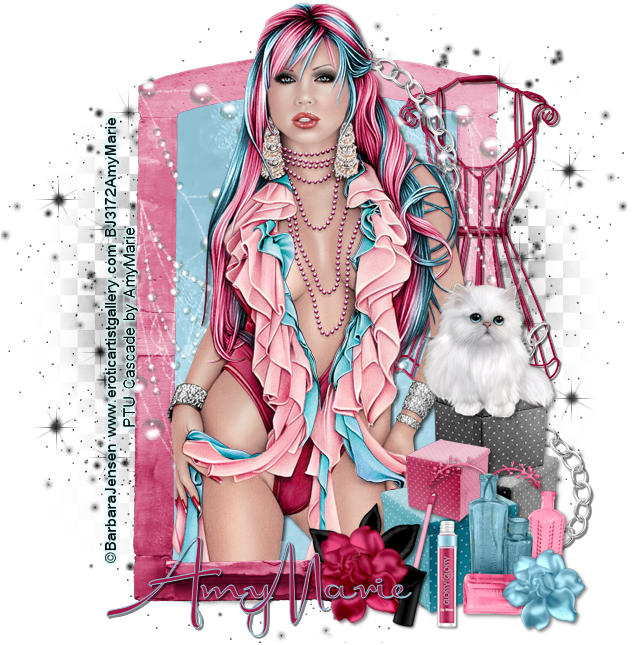
PTU Cascade
Subscribe to:
Posts
(Atom)
Take One
